Wipe
An edge travels across the frame and reveals the next shot behind it. Changes of place, meanwhile scenes, adventure and storybook tone.
- Made in
- Editing
- Also called
- linear wipe, edge wipe
What it does
An edge travels across the frame and the next shot is revealed behind it, so for a moment the screen is split between the two pictures. Unlike a cut or a dissolve, the join is meant to be seen, which gives it a storybook, adventure-serial feel; the Star Wars films are famous for it. Writers disagree on what a wipe says: some hold that it shows events happening elsewhere at the same time, others use it for any change of place or time. Even its first use is disputed.
When to use it
Use it to move between places or story threads when a playful, old-fashioned tone suits the film, as in adventure and comedy. It feels motivated when the edge follows a movement in the shot, such as a car or a character leaving the frame in the same direction. In serious drama it can look dated, so use it on purpose.
Writing the prompt
Wipes are added in the editor rather than generated. Make both shots, put a wipe between them and set its direction and softness there. The official prompt guides of the main video tools do not list wipes among their transition words. What the prompt can do is set up the move: "walks out of frame to the right" at the end of Shot 1, then a wipe the same way.
Also
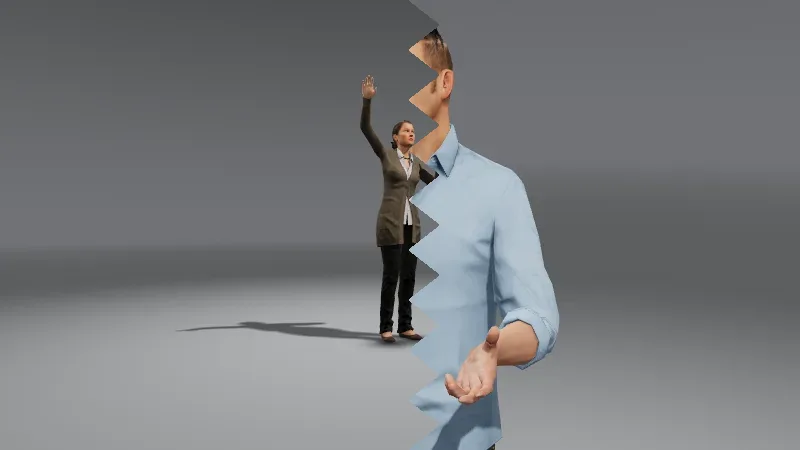
Sawtooth wipe
A wipe whose edge is jagged like the teeth of a saw. A rougher, more forceful straight wipe.
Easily mixed up with
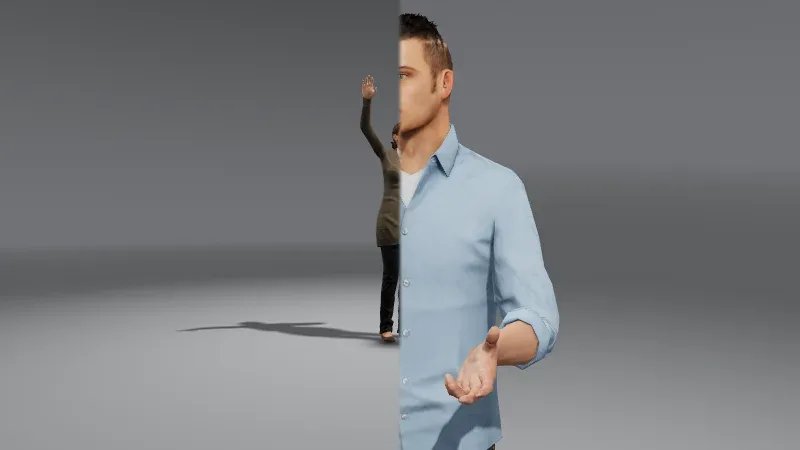
Wipe
An edge travels across the frame and reveals the next shot behind it.
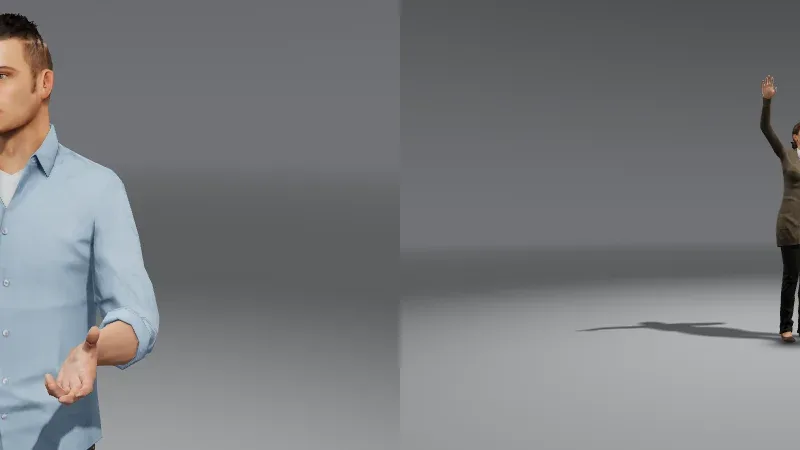
Push
The pictures themselves move, instead of an edge uncovering a still shot.
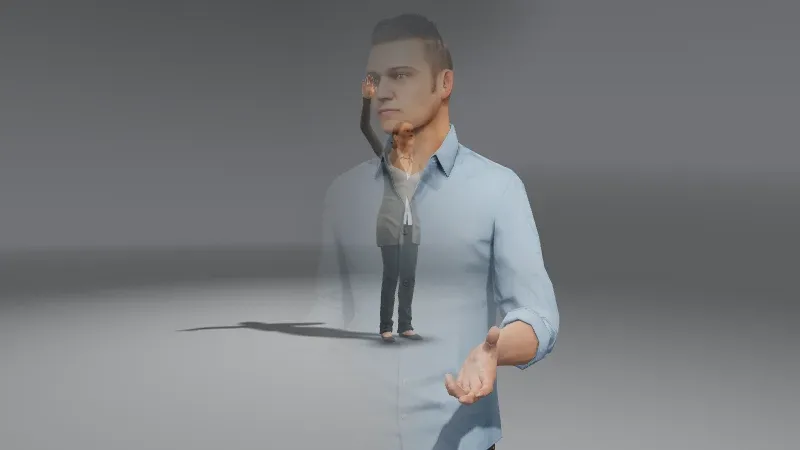
Gradient wipe
A soft, shaped edge instead of a hard line.